

Choosing the right tool for project management is hard. Many people want to keep their work organized. They want to finish tasks on time. Two popular tools are Zoho Project Management and ClickUp. Both help teams work better. But which one fits you best? Let’s look at these tools in detail.
What is Zoho Project Management?
Zoho Project Management is a tool to help teams plan and track work. It lets you create projects, assign tasks, and watch progress. Zoho has many apps for business. This tool fits well if you use other Zoho products. It helps keep all work in one place.
Credit: xmind.com
What is ClickUp?
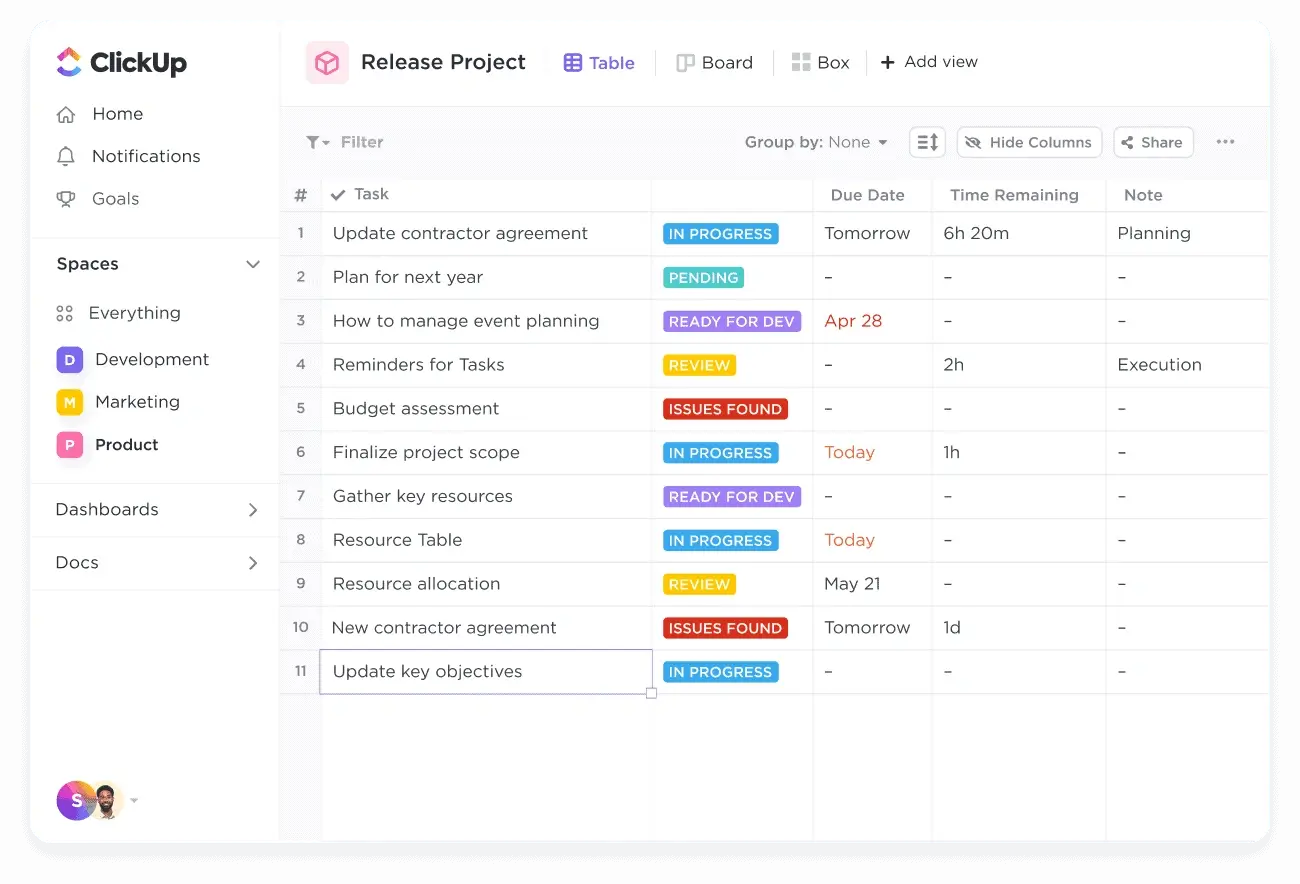
ClickUp is a tool made to help teams work together. It offers many ways to organize tasks and projects. You can see work in lists, boards, or calendars. ClickUp has many options to fit different needs. Many teams like it for its flexibility.
Credit: www.larksuite.com
Easy to Use
When picking a tool, ease of use is key. You want a tool that is simple. Both Zoho and ClickUp try to be easy.
- Zoho Project Management: It has a clean and simple look. New users find it easy to start. The menus are clear. The learning curve is not steep. Zoho also has guides and help pages.
- ClickUp: ClickUp has many features. This can feel a bit much at first. But it has tutorials and videos. Once you learn, it becomes simple to use. It may take some time to get used to.
Features Comparison
Features help teams do their work. Let’s compare key features of both tools.
| Feature | Zoho Project Management | ClickUp |
|---|---|---|
| Task Management | Create tasks, assign people, set deadlines. | Similar task setup with more views like board and timeline. |
| Time Tracking | Built-in timer to track work hours. | Offers time tracking plus reports on time spent. |
| Collaboration | Comments, file sharing, and alerts. | Comments, chat, file sharing, and mentions. |
| Customization | Basic options to change layouts and fields. | Highly customizable with custom statuses and views. |
| Integrations | Works well with other Zoho apps and some third-party apps. | Connects with many apps like Google Drive, Slack, and more. |
| Mobile App | Available and simple to use. | Available with many features on mobile. |
| Reporting | Basic reports on tasks and time. | Advanced reports with charts and filters. |
Pricing
Cost is important. Both tools offer free and paid plans.
- Zoho Project Management: Free plan is limited to small teams. Paid plans start at a low price per user per month. You get more features as you pay more.
- ClickUp: Has a free plan with many features. Paid plans are also affordable. They charge per user per month. Paid plans unlock more advanced options.
Who Should Use Zoho Project Management?
Zoho Project Management works well for small and medium teams. If you already use Zoho apps, it fits nicely. It is good for simple projects. You want a tool that is easy to learn. You also want good time tracking. This tool keeps things neat and simple.
Who Should Use ClickUp?
ClickUp is good for teams needing more options. It suits teams that want to customize a lot. You want many views to see work. You need strong reporting tools. If your team is okay with learning a bit more, ClickUp fits well.
Support and Help
Both companies offer support. They have guides, videos, and help centers.
- Zoho: Support by email and chat during business hours.
- ClickUp: Offers 24/7 chat and email support.
Speed and Performance
Both tools run well on web and mobile. Sometimes ClickUp can feel a bit slower with many tasks. Zoho tends to be faster for simple projects.
Security
Security is important for your data. Both tools use secure servers. They follow industry standards. Zoho offers data encryption and privacy controls. ClickUp also offers strong security features.
Summary Table
| Aspect | Zoho Project Management | ClickUp |
|---|---|---|
| Ease of Use | Simple and clean interface | Flexible but takes time to learn |
| Customization | Basic options | Highly customizable |
| Task Views | List and simple views | List, board, calendar, timeline |
| Integrations | Good with Zoho apps | Many third-party integrations |
| Pricing | Affordable, simple plans | Free plan and affordable paid plans |
| Support | Email and chat support | 24/7 support |
| Best For | Small teams, simple projects | Teams needing many options |
Final Thoughts
Both Zoho Project Management and ClickUp help teams work well. Which one you choose depends on your needs.
If you want a simple tool that is easy to start, Zoho is good. It fits small to medium teams. It works well if you use other Zoho apps.
If you want many ways to see your work, and like to customize, ClickUp is a good choice. It fits teams that want more control over projects.
Try the free plans first. See which tool feels right for your team. The best tool is one your team will use every day.
Frequently Asked Questions
What Are The Main Differences Between Zoho Project And Clickup?
Zoho Project focuses on simple task management. ClickUp offers more customization and features.
Which Tool Is Better For Small Businesses?
Zoho Project suits small teams with basic needs. ClickUp fits small businesses needing more tools.
How Does Pricing Compare Between Zoho Project And Clickup?
Zoho Project has straightforward pricing. ClickUp offers free and tiered paid plans.
Can I Integrate Other Apps With Zoho Project Or Clickup?
Both support many app integrations like Slack, Google Drive, and Zoom.


