
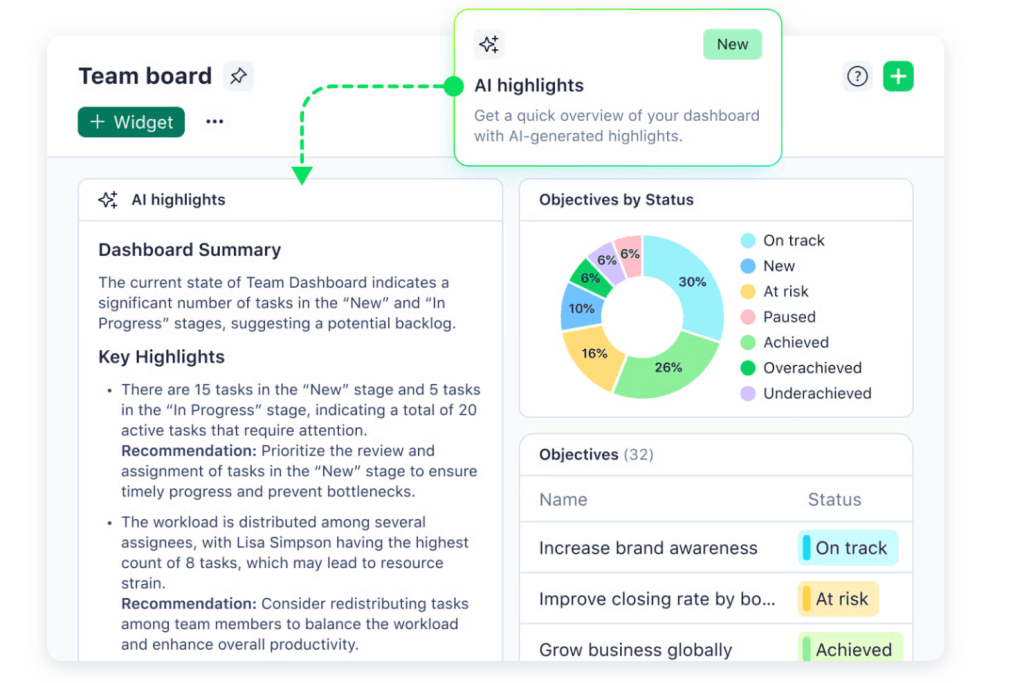
Managing projects can be hard. You need to keep tasks, team members, and deadlines all in one place. This is where project management tools help. But many tools cost money. Not everyone can pay for them. So, what is the best project management tool for free?
There are many free tools out there. Each tool has different features. Some are good for small teams. Others work well for big groups. In this article, we will look at the best free project management tools. We will see what they offer and who should use them.
Why Use a Project Management Tool?
A project management tool helps you organize work. It shows who does what and when. It helps teams talk and share ideas. It also tracks progress. This means you can finish work on time.
Without a tool, it is easy to forget tasks. People may get confused about their jobs. A good tool fixes this. It keeps work clear and simple.
What to Look for in a Free Project Management Tool?
Not all tools are the same. When picking a tool, think about these things:
- Ease of use: Is the tool simple to learn and use?
- Task management: Can you create and assign tasks easily?
- Team collaboration: Can team members talk and share files?
- Project views: Does it have lists, boards, or calendars?
- Limits: How many users or projects can you have for free?
- Integrations: Does it work with other apps you use?
Now, let’s look at some of the best free project management tools.
1. Trello
Trello is popular and very easy to use. It uses boards and cards to show tasks. You create a board for your project. Then add cards for tasks. You can move cards as work changes.
Features:
- Unlimited personal boards and cards
- 10 team boards for free plan
- Simple drag and drop interface
- Checklists, due dates, and attachments on cards
- Basic automation with Butler
Best for: Small teams or personal projects. Easy for beginners.
2. Asana
Asana is a bit more advanced. It helps you track work with lists or boards. You can set due dates and add comments. It also lets you create projects and tasks easily.
Features:
- Unlimited tasks and projects
- Up to 15 team members for free
- List, board, and calendar views
- Basic search and reporting
- Mobile app available
Best for: Teams that want more features but still want simple use.
3. ClickUp
ClickUp is a tool with many options. It works for many types of projects. You can use lists, boards, calendars, and more. It also has time tracking and goals.
Features:
- Unlimited users on free plan
- Unlimited tasks and projects
- Multiple project views
- Time tracking and reminders
- Docs and notes included
Best for: Teams needing many features and flexibility.
4. Wrike
Wrike is good for teams who want to plan and track work well. It has task lists, boards, and calendars. You can also add attachments and comments.
Features:
- Up to 5 users for free
- Task and subtask management
- Real-time activity stream
- Basic integrations
- Mobile and desktop apps
Best for: Small teams who want solid basic tools.

Credit: thedigitalprojectmanager.com
5. Monday.com
Monday.com is a visual tool that shows tasks in boards and timelines. The free plan is limited but good for small teams.
Features:
- Up to 2 users for free
- Unlimited boards and docs
- Basic task tracking and views
- Mobile apps
Best for: Very small teams or individuals starting out.
6. MeisterTask
MeisterTask is a simple tool with a clean design. It uses boards and lists. You can add tasks, comments, and attachments.
Features:
- Unlimited projects and tasks
- Up to 3 team members free
- Basic integrations
- Mobile apps
- Simple automation
Best for: Small teams that want a clean and easy tool.
7. Todoist
Todoist is mainly a task list app. It is simple and fast. You can create tasks, set deadlines, and organize with labels.
Features:
- Up to 80 projects free
- 5 people per project
- Task priority levels
- Basic reminders
- Works on many devices
Best for: Personal use and small task lists.
Comparison Table of Free Project Management Tools
| Tool | Free Users | Tasks/Projects | Key Features | Best For |
|---|---|---|---|---|
| Trello | Unlimited personal, 10 team boards | Unlimited | Boards, cards, checklists, basic automation | Small teams, beginners |
| Asana | Up to 15 | Unlimited | Lists, boards, calendar, comments | Teams needing simple but more features |
| ClickUp | Unlimited | Unlimited | Multiple views, time tracking, docs | Teams needing full features |
| Wrike | Up to 5 | Unlimited | Task lists, boards, activity stream | Small teams wanting basics |
| Monday.com | Up to 2 | Unlimited boards | Boards, timelines, docs | Very small teams |
| MeisterTask | Up to 3 | Unlimited | Boards, automation, mobile app | Small teams wanting clean design |
| Todoist | 5 people per project | Up to 80 projects | Task lists, priorities, reminders | Personal use, small task lists |

Credit: m.youtube.com
How to Choose the Best Free Tool for You?
Think about your team size. Are you working alone or with many people?
Look at the features you need. Do you want simple task lists or more views?
Check if the tool works on your devices. Some have good mobile apps.
Try a few tools. Most let you sign up for free easily.
See which one feels easiest for you and your team.
Tips for Using Free Project Management Tools
- Keep your boards or lists simple at first.
- Assign tasks to people clearly.
- Use due dates to stay on time.
- Write clear task descriptions.
- Use comments to talk about tasks.
- Check your progress every day.
Frequently Asked Questions
What Features Do Free Project Management Tools Usually Offer?
Free tools often include task tracking, collaboration, basic reporting, and limited storage space.
Can Free Tools Handle Large Team Projects Well?
Most free plans support small teams but may limit users or projects for bigger teams.
Are Free Project Management Tools Safe To Use?
Yes, reputable free tools use encryption and security protocols to protect your data.
How Do Free Tools Compare To Paid Versions?
Free versions have fewer features, less storage, and limited customer support than paid ones.
Conclusion
There is no one best free project management tool for all. It depends on your needs and team size. Trello is great if you want simple boards. Asana works well for teams wanting more features. ClickUp offers many options for free. Wrike and MeisterTask are good for small teams. Monday.com fits very small teams. Todoist is good for personal task lists.
Try these tools and find what works best. A free tool can help you organize work. It helps teams stay on track. It saves time and makes work easier. Start with a free tool and grow as you need.


