

Chatbots are small programs that talk with visitors on websites. They help answer questions and guide users. Many websites use chatbots today. You can make one too, even if you do not know much about coding.
What Is a Chatbot?
A chatbot is a tool on a website that chats with visitors. It can answer simple questions and help people find what they want. For example, a chatbot can tell store hours or help find a product.
There are two main types of chatbots:
- Rule-Based Chatbots: These follow set rules. They answer only certain questions.
- AI Chatbots: These use smart technology. They learn and understand more complex questions.
Why Add a Chatbot to Your Website?
Chatbots help visitors get answers fast. They work 24/7 and do not get tired. This can save time for you and your team.
Here are some reasons to use a chatbot:
- Answer common questions quickly.
- Help visitors find products or services.
- Collect visitor information for follow-up.
- Provide support when staff are not available.
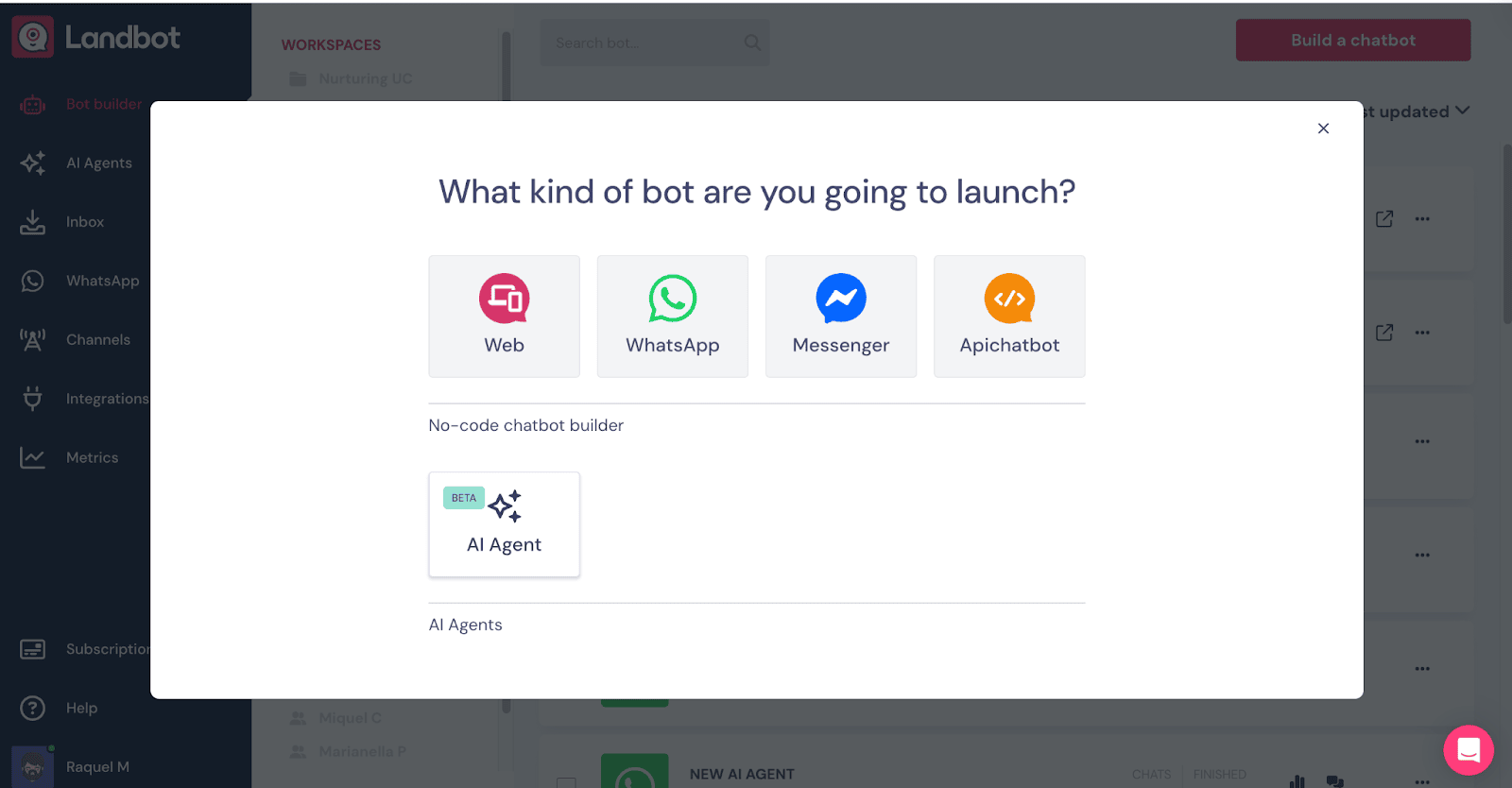
Credit: landbot.io
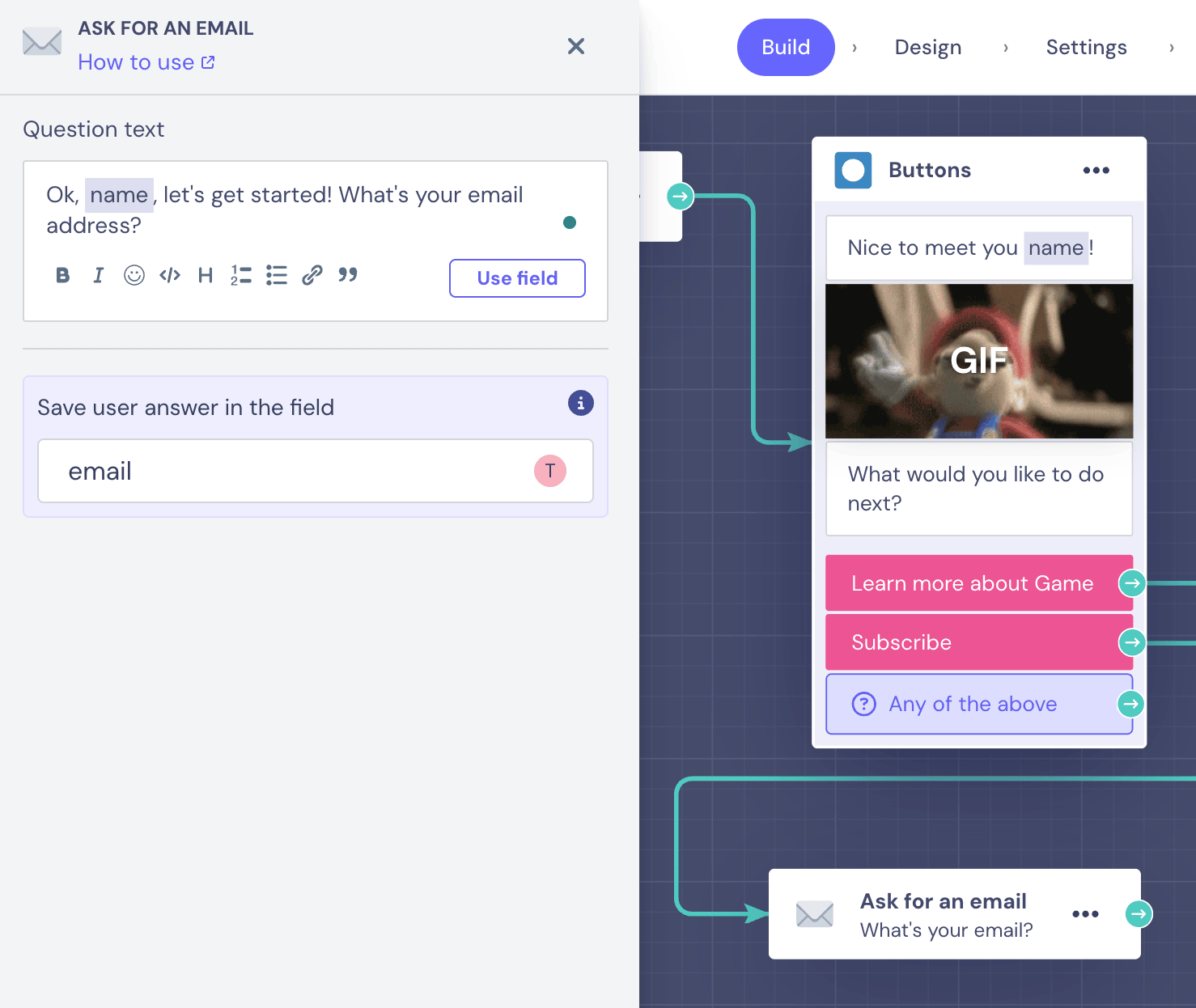
Credit: landbot.io
Steps to Create a Chatbot for Your Website
You can create a simple chatbot in a few steps. Follow this easy guide.
Step 1: Plan Your Chatbot
Think about what your chatbot will do. Write down common questions visitors ask. Find good answers to these questions.
Example questions might be:
- What are your store hours?
- Where is my order?
- How can I contact support?
Planning well makes your chatbot helpful.
Step 2: Choose A Chatbot Builder
You do not need to write code. Many websites let you build chatbots for free or low cost.
Here are some popular chatbot builders:
| Chatbot Builder | Free Plan | Main Features |
|---|---|---|
| HubSpot Chatbot Builder | Yes | Lead qualification, meeting booking, FAQs |
| ChatBot.com | Trial available | Visual builder, AI support, integrations |
| Selzy Chatbots | Yes | Menu buttons, token connection, easy setup |
| Zapier Chatbot | Yes | Automated answers, no coding needed |
Pick one that fits your needs and budget.
Step 3: Create A Chatbot Flow
Most builders use a flow or script. This means you decide what the bot will say and when.
Start with a welcome message. Then add answers to common questions. Use simple words.
Example flow:
- Bot: Hi! How can I help you today?
- User: What are your hours?
- Bot: We are open from 9 AM to 5 PM, Monday to Friday.
Step 4: Test Your Chatbot
Before adding to your website, test the chatbot. Check if it answers correctly. Fix any problems you find.
Ask friends or family to try it. They can tell you if it feels natural.
Step 5: Add The Chatbot To Your Website
Most chatbot builders give you a small code. This code is called a script or widget.
Copy the code and paste it into your website’s HTML. Usually, you add it before the
Here is how:
- Open your website editor or control panel.
- Find the area to add code in the footer or header.
- Paste the chatbot code there.
- Save and publish your website.
Now, the chatbot will appear on your site.
Tips for a Good Chatbot Experience
- Keep messages short and clear.
- Use friendly and polite language.
- Make sure it answers important questions.
- Update your chatbot regularly with new info.
- Allow visitors to talk to a real person if needed.
Costs of Adding a Chatbot
Some chatbot builders are free. Others have a monthly fee. The price depends on features and chat volume.
Free plans often let you try basic chatbots. Paid plans offer more options and support.
If you want a simple bot, free tools are good to start.
How Hard Is It to Build a Chatbot?
Building a chatbot is not very hard. Rule-based bots are simple to create. AI chatbots need more setup but are still easy with tools.
You do not need to learn programming. Builders have drag-and-drop tools. This lets you create chat flows visually.
The hardest part is writing good answers and testing the chatbot well.
Extra Features to Consider
Some chatbots offer these features:
- Menu Buttons: Let users pick options by clicking.
- Lead Collection: Collect visitor email or phone.
- Integration: Connect with email or CRM tools.
- Analytics: See how many people use the bot.
Summary
Creating a chatbot for your website is simple. Plan your questions and answers first. Choose a chatbot builder that fits your needs. Build the chat flow with clear messages. Test before you launch. Add the chatbot code to your website.
Chatbots help visitors find answers fast. They save time and improve user experience. Start with a free chatbot tool. You can improve it over time.
With these easy steps, your website will have a helpful chatbot in no time.
Frequently Asked Questions
How Do I Create My Own Chatbot For Free?
To create a free chatbot, choose a no-code platform like HubSpot or Chatling. Design conversation flows and add FAQs. Connect the bot to your website with a provided token. Test and invite users to interact with your chatbot easily.
Is There Any Free Chatbot For Websites?
Yes, free chatbots like HubSpot’s builder help create website bots for lead qualification, booking, and support. No coding needed.
How Much Does It Cost To Add A Chatbot To A Website?
Adding a chatbot to a website costs between $0 for basic free versions and $500+ monthly for advanced AI solutions. Pricing varies by features and customization. Free builders like HubSpot offer essential tools, while premium bots provide better automation, integration, and support for higher costs.
How Hard Is It To Build Your Own Chatbot?
Building your own chatbot is easy with no-code tools and tutorials. Coding skills help but aren’t mandatory. Hosting and content creation need effort.


