
Are you struggling to figure out why your website isn’t ranking higher on search engines? You’re not alone.
The good news is, you don’t need to spend a fortune to find out what’s holding your site back. With the right SEO audit tools, you can uncover hidden issues and boost your online presence—all for free. You’ll discover a powerful list of free SEO audit tools that can help you analyze your website quickly and easily.
Keep reading, because these tools might just be the key to unlocking your site’s full potential.
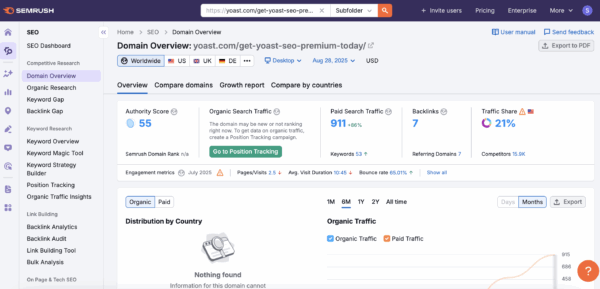
Credit: yoast.com
Top Free Seo Audit Tools
SEO audits help find problems that affect your website’s ranking. Free SEO audit tools provide useful insights without costing money. These tools check many aspects like links, speed, and keywords. Use them to improve your site’s health and visibility.
This list covers top free SEO audit tools. Each tool has unique features to help you analyze your website. Choose the best one based on your needs.
Google Search Console
Google Search Console shows how Google views your site. It reports errors, indexing status, and search traffic. Use it to fix issues and improve your site’s presence in Google search.
Ahrefs Webmaster Tools
Ahrefs Webmaster Tools offers a detailed site audit and backlink analysis. It finds SEO problems and shows your website’s strongest links. This tool helps improve your site’s authority and ranking.
Semrush Free Tools
SEMrush provides several free tools for SEO analysis. You can check site health, keyword rankings, and backlink profiles. It offers clear reports to guide your SEO strategy.
Moz Link Explorer
Moz Link Explorer focuses on backlink research. It helps find who links to your site and how strong these links are. Use it to build better link strategies.
Ubersuggest
Ubersuggest offers keyword research and site audit features. It shows SEO errors and keyword opportunities. This tool is easy for beginners to understand and use.
Screaming Frog Seo Spider
Screaming Frog crawls your website like a search engine. It finds broken links, duplicate content, and page errors. Use it to fix technical SEO problems quickly.
Seo Site Checkup
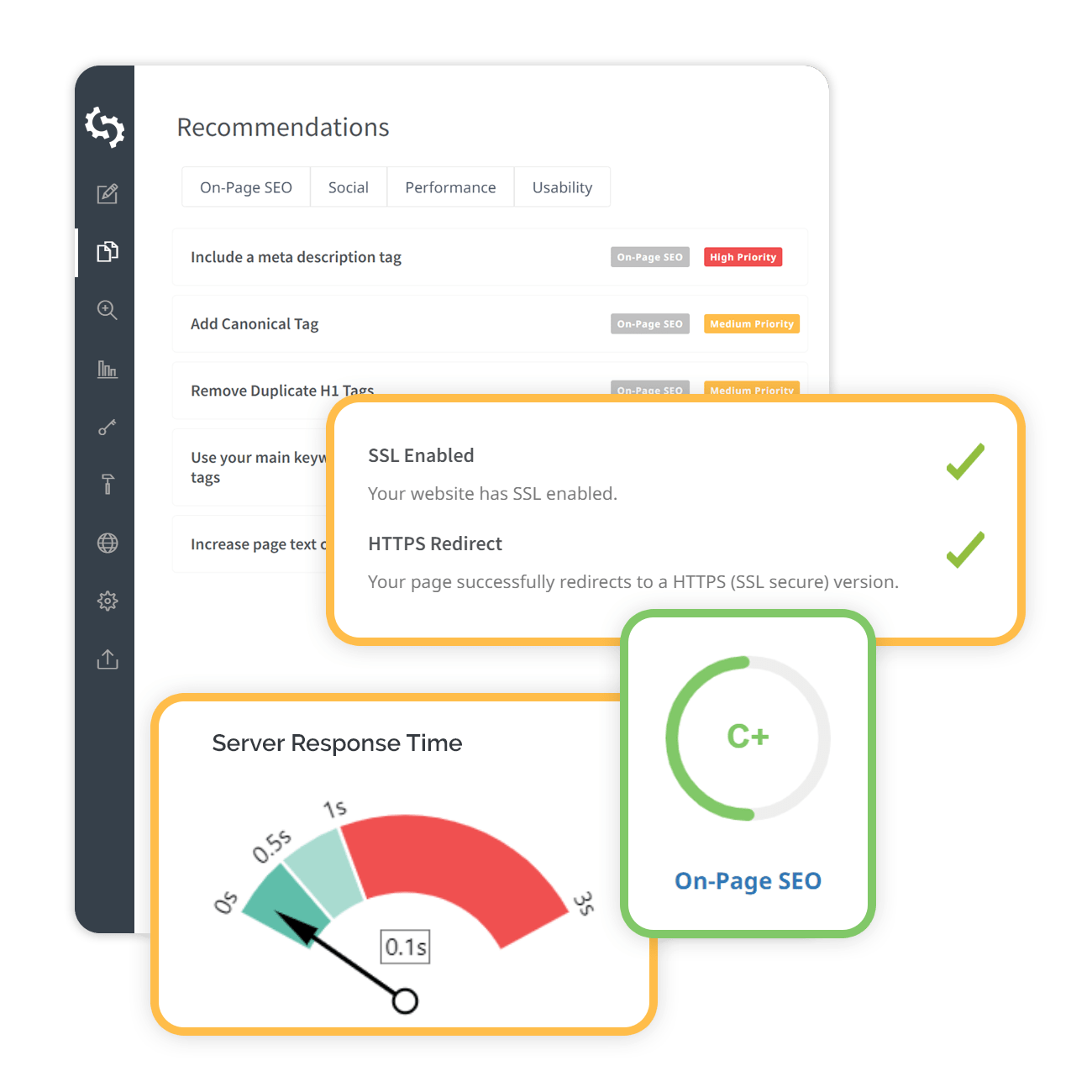
SEO Site Checkup runs a full SEO audit in minutes. It checks common SEO issues and gives a clear score. The tool explains what needs fixing for better SEO.
Woorank
Woorank gives an easy-to-read SEO report. It highlights site issues and suggests improvements. This tool helps improve SEO with simple tips.
Gtmetrix
GTmetrix measures your website speed and performance. It shows what slows down your site and how to fix it. Fast sites rank better and keep visitors engaged.
Google Pagespeed Insights
Google PageSpeed Insights tests page loading times on desktop and mobile. It gives a score and suggests improvements. Fast loading pages improve user experience and SEO.
Key Features To Look For
Choosing the right free SEO audit tool means knowing what features matter most. These features help find problems and improve your website’s performance. Each feature plays a special role in making your site better for users and search engines. Understand these key features to pick the best tool for your needs.
Site Health Analysis
Site health analysis checks your website for errors and issues. It scans your pages to find broken links, missing tags, and duplicate content. This feature helps keep your site clean and easy to use. A healthy site ranks better and offers a smooth user experience.
Backlink Tracking
Backlink tracking shows who links to your site. It helps monitor the quality and quantity of backlinks. Good backlinks boost your site’s authority and ranking. This feature also alerts you to bad or spammy links that can harm your SEO.
Keyword Research
Keyword research finds the best words for your content. It shows popular and relevant keywords your audience searches for. Using the right keywords increases your chances to appear in search results. This feature guides content creation and optimization effectively.
Page Speed Testing
Page speed testing measures how fast your pages load. Fast loading pages keep visitors happy and reduce bounce rates. This feature highlights slow elements like large images or scripts. Improving speed can boost both user experience and search rankings.
Mobile Usability Checks
Mobile usability checks ensure your site works well on phones and tablets. It tests layout, fonts, and buttons for mobile devices. A mobile-friendly site reaches more users and ranks higher on search engines. This feature is vital as mobile traffic grows daily.
Content Optimization
Content optimization reviews your text for SEO best practices. It checks keyword use, readability, and meta tags. This feature helps improve your content’s clarity and search visibility. Well-optimized content attracts more visitors and keeps them engaged.
Technical Seo Insights
Technical SEO insights uncover deeper issues like crawl errors and site structure. It helps fix problems that affect search engine indexing. This feature also reviews XML sitemaps and robots.txt files. Technical SEO is essential for a strong, search-friendly website.
How To Use Seo Audit Tools Effectively
SEO audit tools help you find issues on your website that affect search rankings. Using these tools correctly can improve your site’s visibility. Understanding how to set up, read reports, fix problems, and track progress is key. This guide shows simple steps to use SEO audit tools effectively.
Setting Up Your Website
Start by entering your website URL into the audit tool. Make sure the tool scans all important pages. Connect your site to Google Search Console for better data. Verify ownership to access detailed reports. Choose the right tool based on your site size and goals.
Interpreting Audit Reports
Audit reports list errors, warnings, and suggestions. Focus on issues that affect site speed, mobile usability, and security. Check for broken links and missing meta tags. Understand the impact of each problem. Use simple language guides from the tool to grasp terms.
Prioritizing Fixes
Fix high-impact problems first, like slow pages or broken links. Address security issues immediately. Next, improve meta descriptions and alt text. Small changes add up over time. Avoid fixing low-priority items before critical errors.
Monitoring Progress Over Time
Run audits regularly to track your improvements. Compare reports to see if fixes work. Watch for new issues after updates. Keep a log of changes and results. Consistent monitoring helps maintain good SEO health.
Common Seo Issues Revealed By Audits
SEO audits help find many common problems that affect website ranking. These problems can stop your site from reaching more people online. Fixing these issues improves user experience and search engine visibility.
Many websites share the same SEO problems. These can be easy to miss without the right tools. Free SEO audit tools highlight these issues clearly. Understanding these problems is the first step to better SEO.
Broken Links And Redirects
Broken links lead users to pages that no longer exist. This frustrates visitors and lowers trust. Redirects can cause confusion if they are wrong or too many. Fixing broken links and setting proper redirects keeps visitors happy.
Duplicate Content
Duplicate content confuses search engines about which page to rank. It can lower the ranking of all affected pages. This problem often occurs with similar product descriptions or blog posts. Removing duplicates helps search engines understand your site better.
Missing Meta Tags
Meta tags describe your page to search engines. Missing tags mean search engines may not show your page well in results. Title tags and meta descriptions are important for clicks. Adding clear meta tags improves visibility and click rates.
Slow Loading Pages
Slow websites cause visitors to leave quickly. Speed is a key factor for search engines. Large images, too many scripts, or bad hosting slow down pages. Improving load times keeps visitors longer and boosts rankings.
Mobile Compatibility Problems
More users browse on mobile devices than desktop. Sites that do not work well on phones lose visitors. Mobile-friendly designs adjust to different screen sizes. Fixing mobile issues ensures all users have a good experience.
Poor Keyword Targeting
Using the wrong keywords means missing the right audience. Too few or too many keywords can hurt rankings. Keyword research shows what people search for. Targeting proper keywords brings the right visitors to your site.
Tips To Boost Website Ranking Quickly
Boosting your website ranking fast needs clear and simple steps. Small changes can make a big difference. Focus on key areas that search engines watch closely. These tips help your site get noticed and rank better.
Optimizing Page Titles And Descriptions
Page titles and descriptions show up on search results. Use clear, short titles with main keywords. Descriptions should explain the page content in simple words. Avoid keyword stuffing. Make each title and description unique to each page.
Improving Site Speed
Fast sites rank higher because users stay longer. Compress images and use fast hosting. Reduce unnecessary scripts and plugins. Test your site speed often and fix issues quickly. A quick-loading site keeps visitors happy.
Enhancing Mobile Experience
More people use phones to browse websites. Your site must look good and work well on all devices. Use responsive design and readable fonts. Check buttons and menus for easy use on small screens. Google favors mobile-friendly sites.
Building Quality Backlinks
Backlinks from trusted sites boost your authority. Create helpful content that others want to share. Reach out to related websites for guest posts or links. Avoid low-quality or spammy links. Good backlinks improve your site’s reputation.
Regular Content Updates
Fresh content keeps your site active and interesting. Update old posts with new information. Add blog posts or articles regularly. Search engines like sites that show ongoing activity. Keep your audience engaged with useful content.
Credit: www.seoptimer.com
Credit: www.seo.com
Frequently Asked Questions
What Are The Best Free Seo Audit Tools Available?
The best free SEO audit tools include Google Search Console, Ahrefs Webmaster Tools, SEMrush Free Audit, and Ubersuggest. These tools analyze website health, backlinks, keywords, and site speed. They help identify SEO issues and improve site performance without any cost.
How Do Free Seo Audit Tools Improve Website Ranking?
Free SEO audit tools detect technical issues, broken links, and keyword gaps. Fixing these problems enhances user experience and site crawlability. This leads to better search engine rankings and increased organic traffic over time.
Can Free Seo Audit Tools Analyze Mobile Optimization?
Yes, many free SEO audit tools check mobile responsiveness and page speed. Mobile optimization is crucial for ranking on Google’s mobile-first index. These tools provide actionable insights to improve mobile user experience.
Are Free Seo Audit Tools Reliable For Beginners?
Free SEO audit tools are user-friendly and offer accurate data for beginners. They provide clear reports with easy-to-understand recommendations. Beginners can effectively use them to optimize their website without advanced SEO knowledge.
Conclusion
Using free SEO audit tools helps improve your website’s health. These tools show what works and what needs fixing. Regular checks keep your site fast and user-friendly. They also help boost your search engine ranking. Choose tools that fit your needs and skills.
Start auditing today and watch your site grow step by step. Small changes can lead to big results over time. Keep learning and testing to stay ahead in SEO.


