
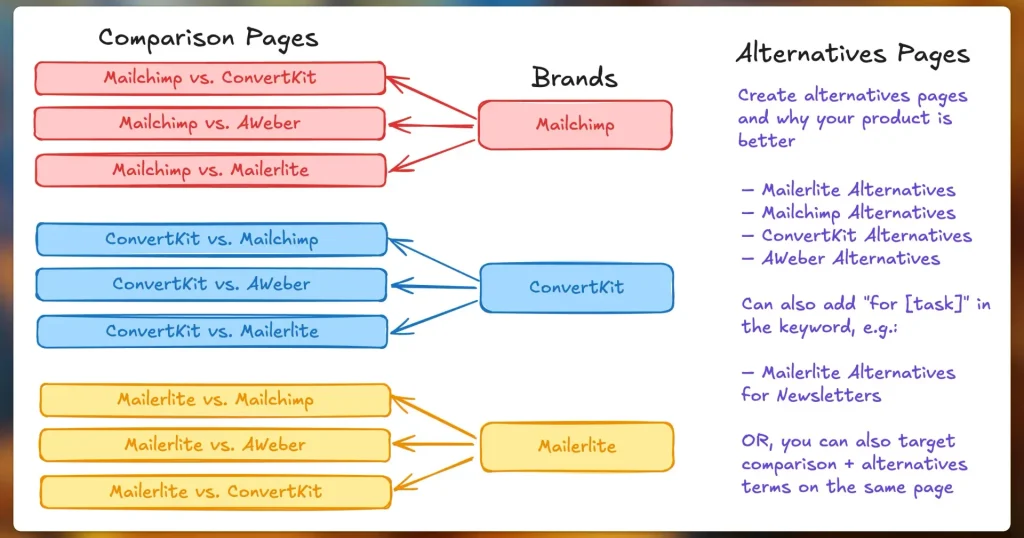
Email marketing is important for many businesses and creators. It helps you talk to people who like your work. But choosing the right email tool can be hard. Today, we will look at three popular tools: ConvertKit, Mailchimp, and MailerLite.
Why Use Email Marketing Tools?
Email marketing tools help you send emails to many people at once. They let you create emails, manage your contacts, and see how many people read your emails. Using these tools saves time and makes your emails look better.
Overview of ConvertKit, Mailchimp, and MailerLite
These three tools are popular. But they work a little differently. Here is a quick look at each:
- ConvertKit: Good for creators like bloggers and artists. It focuses on building relationships with your audience.
- Mailchimp: One of the oldest and biggest tools. It offers many features for all kinds of businesses.
- MailerLite: Simple and easy to use. It works well for small businesses and beginners.

Credit: www.primeproductiv4.com
Pricing Plans
Price is important when picking a tool. You want good features without paying too much. Let’s compare prices for each.
| Tool | Free Plan | Starting Paid Plan | Key Limitations |
|---|---|---|---|
| ConvertKit | Free up to 300 subscribers | Starts at $15/month for 300 subscribers | Limited automation in free plan |
| Mailchimp | Free up to 500 contacts | Starts at $13/month for 500 contacts | Limited sends and features in free plan |
| MailerLite | Free up to 1,000 subscribers | Starts at $10/month for 1,000 subscribers | Some features locked in free plan |
MailerLite offers the largest free plan. ConvertKit’s free plan is smaller but good for creators. Mailchimp’s free plan sits in the middle but limits emails sent per month.
Ease of Use
How easy is it to use each tool? This matters if you are new to email marketing.
- ConvertKit: The interface is clean and simple. It focuses on helping creators build email lists fast. It uses tags and segments well.
- Mailchimp: It has many options and tools. This can feel confusing at first. But it also gives lots of ways to customize emails.
- MailerLite: Very easy to use. The drag-and-drop editor helps you build emails quickly. It is a good choice for beginners.
Email Design and Templates
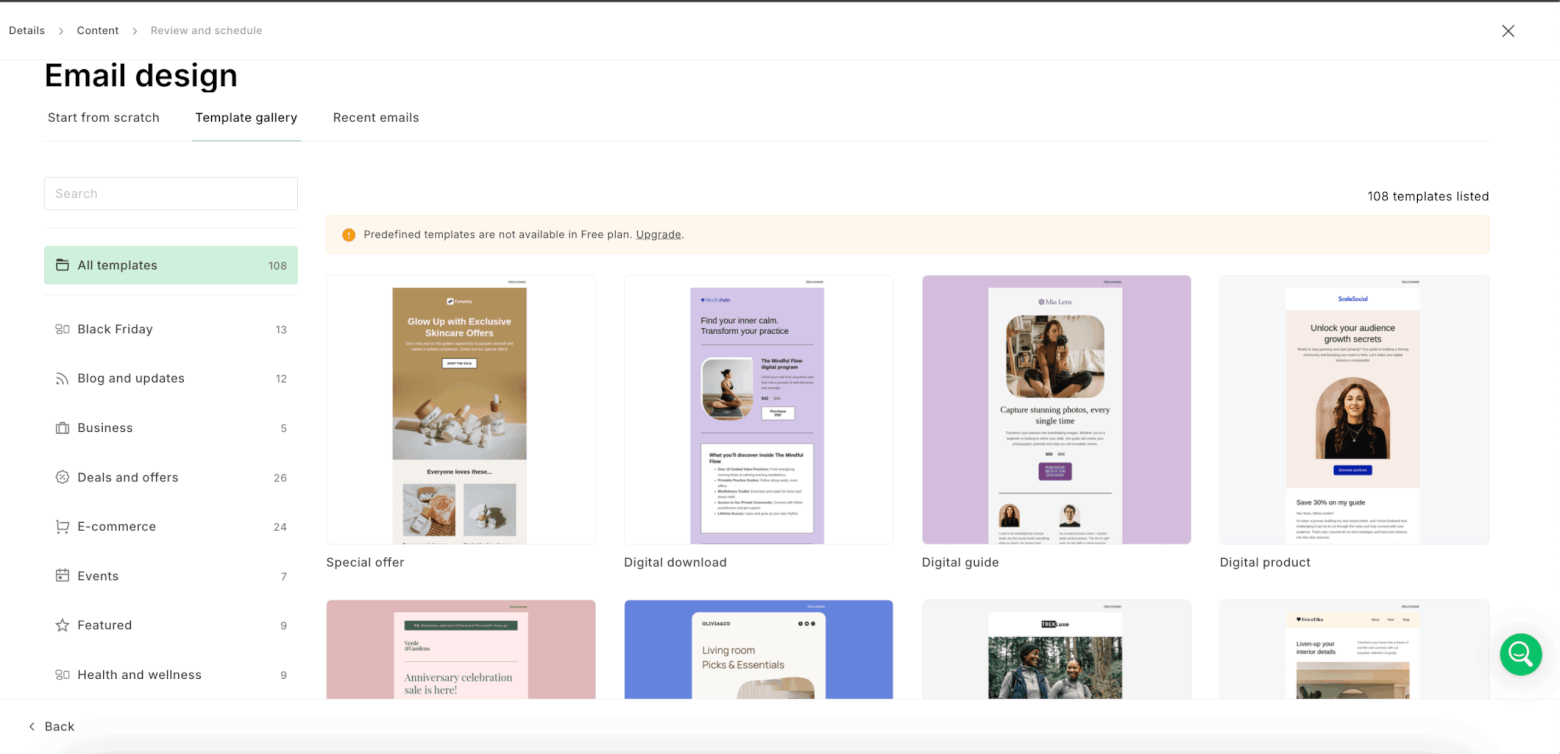
How your emails look is important. All three tools offer templates and editors. But they differ in style and options.
- ConvertKit: Offers few templates. Most emails are simple text-based. This works well for personal and direct messages.
- Mailchimp: Has many colorful and modern templates. You can choose from many designs for different needs.
- MailerLite: Provides clean, simple templates. Its editor is easy to use for creating good-looking emails.
Automation Features
Automation helps send emails automatically based on actions. It saves time and improves marketing.
- ConvertKit: Strong automation. You can build simple to complex workflows. It uses triggers, actions, and conditions.
- Mailchimp: Offers automation but with limits on free and lower plans. Good for welcome emails and abandoned cart emails.
- MailerLite: Basic automation features. Works well for small campaigns and simple flows.
List Management
How you manage your contacts matters. Good list management helps you send the right message to the right person.
- ConvertKit: Uses tags and segments. You can tag people based on behavior or interests. Easy to organize subscribers.
- Mailchimp: Uses lists and tags. You can create groups and segments. It is flexible but can be complex.
- MailerLite: Uses groups and segments. Simple to use and good for beginners.
Reporting and Analytics
Knowing how your emails perform is key. Each tool gives reports but details vary.
- ConvertKit: Shows open rates, clicks, and subscriber growth. Reports are easy to read.
- Mailchimp: Offers detailed reports including revenue tracking. Good for businesses tracking sales.
- MailerLite: Provides basic reports on opens and clicks. Enough for small businesses.
Customer Support
Good support helps when you have problems or questions.
- ConvertKit: Offers email support and live chat for paid plans. Helpful and quick responses.
- Mailchimp: Email and chat support available on paid plans. Large knowledge base for self-help.
- MailerLite: Email support and live chat for free and paid plans. Known for friendly help.
Integrations
Integrations let you connect email tools with other apps you use.
- ConvertKit: Integrates well with WordPress, Shopify, and more. Good for creators.
- Mailchimp: Offers many integrations with e-commerce, social media, and CRM tools.
- MailerLite: Supports popular integrations like Shopify, WordPress, and Zapier.
Who Should Use ConvertKit?
ConvertKit is best for creators. Bloggers, YouTubers, and artists will like it. It helps build personal connections with subscribers. Its automation is strong for targeted emails. If you want simple, text-based emails, ConvertKit fits well.
Who Should Use Mailchimp?
Mailchimp suits businesses of all sizes. It has many tools beyond email marketing. If you want colorful emails and advanced features, choose Mailchimp. It is good for e-commerce stores and companies tracking sales. But it can be harder to learn at first.
Who Should Use MailerLite?
MailerLite is great for small businesses and beginners. It is easy to use and affordable. If you want simple design tools and basic automation, MailerLite works well. It is a good choice if you want a balance of price and features.
Credit: www.emailtooltester.com
Summary Table: Compare at a Glance
| Feature | ConvertKit | Mailchimp | MailerLite |
|---|---|---|---|
| Free Plan | Up to 300 subscribers | Up to 500 contacts | Up to 1,000 subscribers |
| Ease of Use | Simple, creator focused | Feature rich, complex | Easy, beginner friendly |
| Email Templates | Few, simple text | Many, colorful | Clean, basic |
| Automation | Strong, flexible | Good, limited on free plan | Basic automation |
| List Management | Tags and segments | Lists, tags, groups | Groups and segments |
| Reporting | Basic, clear | Detailed, advanced | Basic reports |
| Support | Email, chat (paid plans) | Email, chat (paid plans) | Email, chat (all plans) |
| Integrations | Good for creators | Wide range | Popular apps |
Final Thoughts
Choosing the right email tool depends on your needs.
- If you are a creator and want simple emails, try ConvertKit.
- If you want many features and colorful emails, Mailchimp is good.
- If you want an easy and affordable tool, MailerLite fits well.
All three tools offer free plans. Try each one to see which feels right. Email marketing helps you grow your audience and business. Pick the tool that matches your goals and skills.
Frequently Asked Questions
Which Platform Is Best For Beginners: Convertkit, Mailchimp, Or Mailerlite?
Mailchimp and MailerLite offer easy setups and simple interfaces, ideal for beginners starting email marketing.
How Do Convertkit, Mailchimp, And Mailerlite Pricing Plans Compare?
MailerLite generally offers lower prices, Mailchimp has free plans, and ConvertKit focuses on creator-friendly pricing.
Which Email Service Has Better Automation Features?
ConvertKit provides advanced, easy-to-use automation; Mailchimp offers good options, and MailerLite covers basics well.
Can I Use Convertkit, Mailchimp, Or Mailerlite For E-commerce?
All three support e-commerce integrations, but Mailchimp has more built-in tools for online stores.


